Changing the watch mode
If the watch has the Full user profile enabled, the watch wearer can change the watch mode.
To change the watch mode:
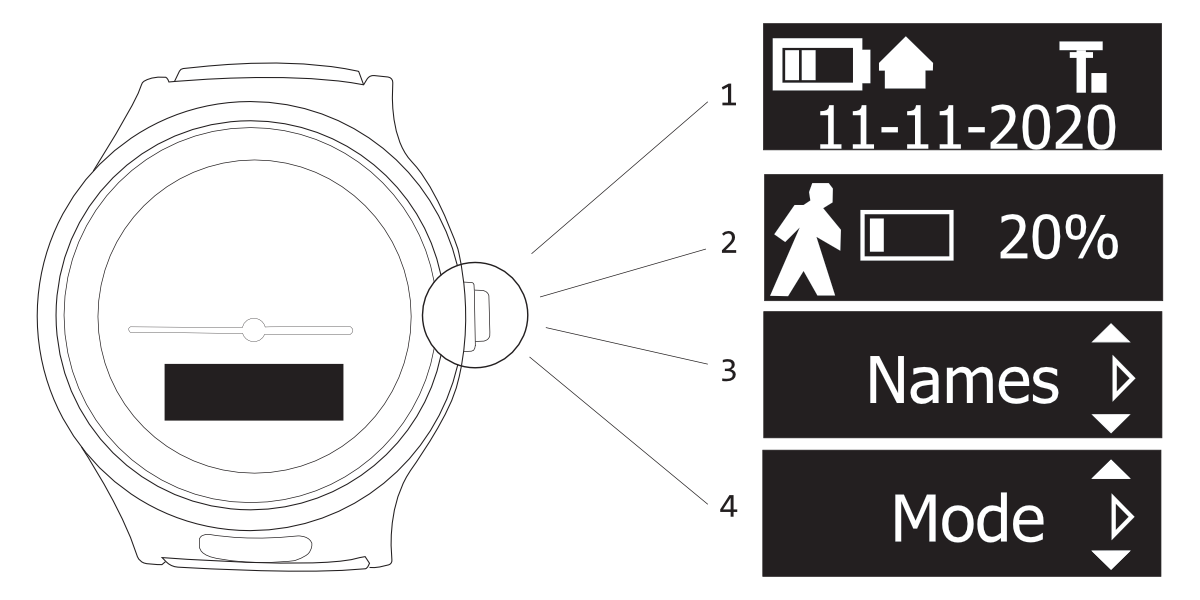
- Press CROWN to activate display.
The watch hands automatically move to not obstruct viewing the display. When the display is active, you see the battery icon, mobile network icon, as well as the date and time (in recurring intervals). - Press CROWN again to enter the menu. Press CROWN to navigate through the menus until you see the Mode menu.
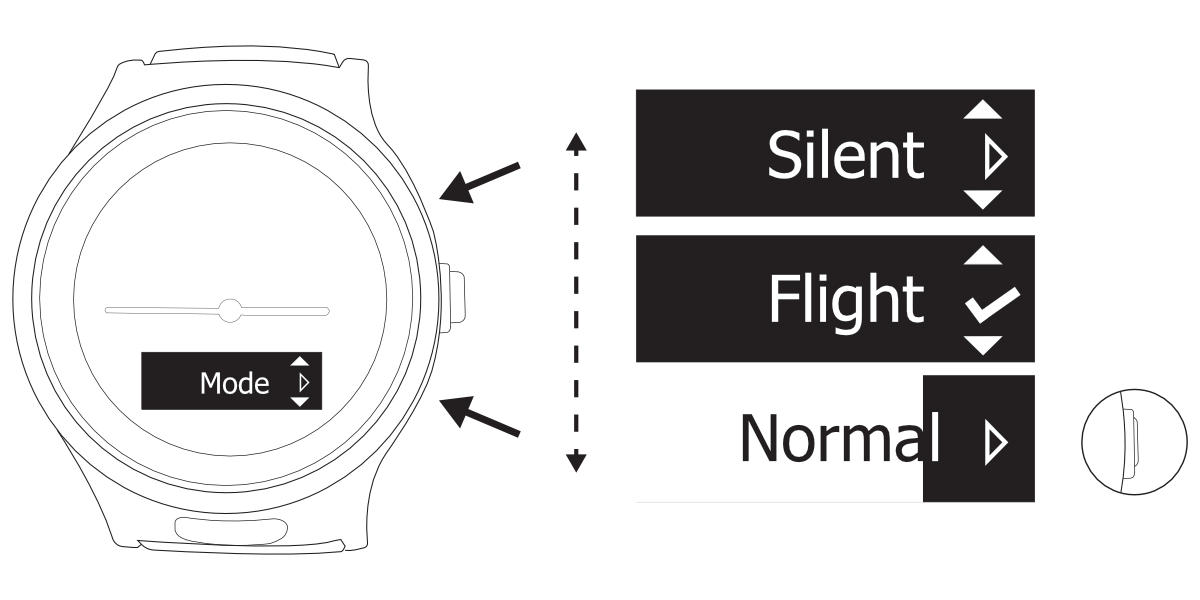
- Tap UP or DOWN to scroll through the mode options. The currently active mode has a check mark next to it.
- When the desired mode is displayed, press and hold CROWN to select and activate the mode.
- Press CROWN again to turn off the display.
Alternatively, you can just wait for the watch to automatically turn off the display (after a few seconds).